hoozefa.
Cart
HELLO, LOCAL EXPERTS

Your place.
Your people.
Your next chapter.

Turn what you know and love about your hometown into an experience worth traveling for. We’re welcoming our first hosts, everywhere.

Host FAQs · Host or partner?

Free to apply · Every town welcome · Your listings, your way

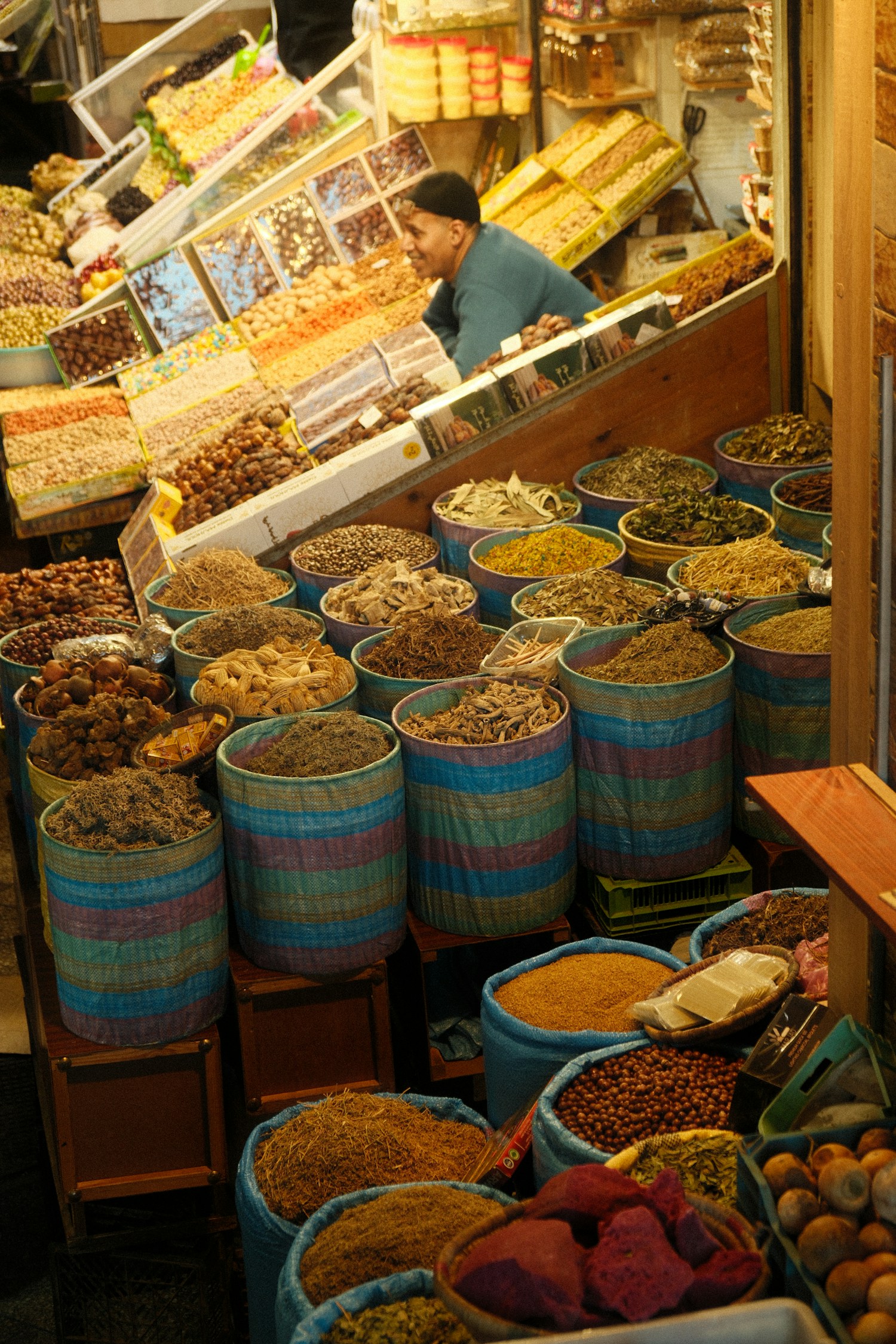
Local market stalls in Meknes, Morocco

Host or partner?

Provide the experience, recommend it—or do both.

Host

You provide the experience.

Guides, tour operators and activity providers create listings, set prices and availability, and welcome guests.

Your income: the experience price less your applicable Hoozefa commission. Standard commission: 20%; Essential $100, Growth $200 and Premium $500/month are separate zero-commission host options.

Explore hosting

Partner

You recommend experiences.

Hotels, brokers, creators and local businesses share tracked links to other providers’ activities.

Your income: 20% of Hoozefa’s remaining commission on an eligible booking, after applicable discounts and waivers.

Explore partnerships

Example: On a $100 booking at 20% host commission, with no discount or waiver, the host’s base share is $80, the partner’s share is $4 and Hoozefa retains $16. Payment processing fees and taxes are separate; payments are not active yet.

Use one account for both roles, with a separate application for each. Self-referrals do not earn partner commission.

Your hometown has a place here

You don’t need a famous destination. Share a walk, a meal, an adventure or a local story.

You’re in charge of the details

Set availability, group sizes, meeting points, add-ons, inclusions and cancellation terms.

Know what’s working

Track listing views, carts, bookings and verified reviews in your own dashboard.

YOUR BUSINESS, YOUR PLAN

One monthly price. Zero booking commission.

All plans include your booking page, short link, QR codes, receipts and traveler dashboard.

BOOKING ESSENTIALS

Essential

$100 USD / month

Your booking business, ready to share.

0% Hoozefa booking commission
  • 0% Hoozefa booking commission
  • Hosted booking page with a short URL
  • Downloadable QR codes and share links
  • Listings, recurring schedules and package extras
  • Traveler dashboard, booking receipts and tickets
  • Host dashboard, messages and booking management
GROW YOUR BRAND

Growth

$200 USD / month

Build your brand and understand your bookings.

0% Hoozefa booking commission
  • Everything in Essential
  • Enhanced host-page branding
  • Custom page headline and cover photo
  • Choose and order your featured experiences
  • Listing performance report and CSV export
  • Views, carts and paid-booking conversion insights
MAXIMUM VISIBILITY

Premium

$500 USD / month

Get discovered with Hoozefa behind you.

0% Hoozefa booking commission
  • Everything in Growth
  • Featured above regular matching search results
  • Sponsored discovery placement on the home page
  • Managed advertising setup and campaign support
  • Campaign requests, progress and reporting
  • Priority marketing review and all host premium tools

Prefer to pay as you book?

All Premium features are included automatically. No monthly subscription. Standard 20% Hoozefa commission on eligible bookings, or your agreed rate.

ANSWERS FOR HOSTS

Host FAQs

Apply, build your listings and manage your experiences with confidence.

29 answers

How do I offer gift experiences?

Open Host dashboard → Gift experiences. Review and accept the obligations, then opt in. Your approved eligible experiences appear in the gift catalog. You must honor the original inclusions, guest quantity and agreed price for one year from each purchase; existing obligations survive opting out or closing your account.

Paid gift value does not expire. Hoozefa handles support for redemption after the original experience window and any applicable refund. Payouts require fulfilled, cleared bookings; gift purchases do not enable early withdrawal. Accounts with outstanding gifts cannot be deleted. Program and payment-provider activation are separate from opting in.

Manage gift experiences
Can I discuss times and prices in chat?

Yes. You can send short numbers and practical details such as 8:30 am, $100, 2 guests and a booking date. Phone numbers, email addresses, external contact links and disguised number sequences are restricted, including short number fragments sent across messages.

Keep booking changes and payments on Hoozefa so the confirmed booking record stays accurate.

How do I include VAT, GST and taxes in my prices?

Enter final tax-inclusive prices for every experience and optional extra. Include applicable VAT, GST, sales tax and mandatory charges; do not add them again at the meeting point. You handle the tax registrations, invoices, returns and payments legally required of your business.

For a $100 selling price at 20% commission, the host allocation is $80 and Hoozefa gets $20. The commission is deducted once. Local law determines your tax base; it is not necessarily only the $80 payout. A $10 host discount reduces the selling price to $90, the fee to $18 and the host allocation to $72.

These terms do not remove any tax duties the law places on Hoozefa Inc., or taxes on Hoozefa’s own services and subscriptions.

Am I a host or a partner?

Choose Host if you provide the experience: you run the tour, guide the walk, operate the flight, own the activity or otherwise deliver what guests book. You create listings and manage schedules, inclusions and guests.

Choose Partner if you recommend other providers’ experiences through tracked links. A tour operator can be a host for its own tours and a partner for experiences it recommends. Each role has its own application and dashboard.

Who can apply as a host?

Individuals, sole traders, registered companies, nonprofits, government bodies and educational institutions can describe their setup in the application. You do not need to operate in a famous tourist city.

Select the host roles that match what you actually provide. Applications are reviewed, and activities must meet applicable operating requirements and Hoozefa’s country availability rules.

Open host signup
What information do I need to sign up?

Prepare your public host or business name, city, country, phone, host roles, languages and a description of the experiences you offer. Describe relevant qualifications, licenses and insurance where applicable.

Choose your preferred commercial plan and complete the participation agreement when requested. Do not place payment-card details or identity documents in public descriptions.

Do I need a website?

No. The website or social-profile field is optional and can be left blank. If you have a website, an address such as www.example.com is enough; you do not need to type https://.

Your public listing on Hoozefa can explain your experience even if you have no website of your own.

When is a clear face photo required?

A clear face photo is required when you apply as a Local guide, along with the languages you guide in. The photo is reviewed with your application.

An activity provider or tour operator that is not also applying as a Local guide does not use the guide-photo requirement. Partner-only accounts do not need a guide face photo.

What happens after I submit my application?

Track your application status and any requested changes in your host dashboard. Hoozefa reviews your details and, where required, your guide photo together. There is no guaranteed review time.

You can prepare draft listings while waiting. Host approval and listing approval are separate: a new account does not automatically publish every listing or receive a verified badge.

What should a complete listing include?

Add the title, destination, category and relevant subcategories, description, price and currency, duration, group size, age limits and languages. Explain inclusions, exclusions, accessibility, requirements and the cancellation policy.

Complete the meeting-point pin, availability and cover photo before submitting. Select only activities and dietary or faith-related preferences you can accurately support.

Can I save an unfinished listing or application?

Yes. Save application draft keeps your signup details in your account. Save draft in the listing editor keeps incomplete work private so you can return later.

Follow the numbered listing steps. Continue checks the current details, and the final Review & submit checklist shows anything missing. Only a complete listing can be submitted for approval. Saving a draft does not publish it.

How many photos and videos can I upload?

Each listing supports up to eight photos and one video. The first image must be a photo and becomes the cover. Upload only media you own or have permission to use.

The listing editor accepts JPG, PNG, WebP, MP4 and WebM files up to 25 MB each. Administrator previews use sample media and do not upload files.

Can I set availability once instead of entering every date?

Yes. Open your listing’s Dates & times step and choose Daily, Weekly or Monthly. Set a start and end date, the repeat interval, departure times and capacity. Each schedule can cover up to 12 months (366 days).

Weekly schedules let you select weekdays. Monthly schedules let you select calendar dates or the last day of the month. Hoozefa generates the departures when you save; review and extend the date range before it ends.

How do I close holidays or add a special departure?

Use Dates off to close every departure on a selected date. Add a one-off date for an extra departure or to override the capacity at a recurring date and time. A closed date still takes priority over one-off entries.

Review Upcoming departures before saving. Overlapping schedules with identical details are combined; conflicting capacities must be corrected.

Which timezone should I use?

Use the timezone where the activity takes place, not necessarily where you are editing the listing. Recurring departures keep the same local clock time through seasonal clock changes.

A time that does not exist when clocks move forward is skipped. A repeated time when clocks move back runs once at the later occurrence. The availability preview explains skipped departures.

How do I set an exact meeting point or pickup?

In Location, search for the place or adjust the map pin, then confirm the precise meeting point. Add written directions in Details, along with pickup, drop-off and any transport add-on.

Choose whether precise location details are public or available after an eligible booking. A destination or city pin is not a substitute for clear meeting instructions.

Can I edit a listing after it is published?

Yes, open Host dashboard → Listings → Edit listing. Saving changes returns the listing to draft or review, depending on the action you choose, so the updated version needs approval before it appears publicly.

Listings with paid, completed or checkout bookings are protected from edits through this form. Contact Hoozefa about changes affecting those bookings; do not assume that changing a schedule cancels a guest’s booking.

What commission does Hoozefa charge hosts?

The standard commission preference is 20% per eligible commission-plan booking. Hoozefa can approve a negotiated rate between 15% and 20%; hosts cannot change their own commission rate.

Approved pay-per-booking hosts receive all Premium features automatically: page branding, performance reports, labeled featured placement and advertising support, without a monthly fee. Your assigned commission rate appears in your account. Advertising media spend, payment processing fees and applicable taxes are separate.

Open host dashboard
Can I change my custom host URL or keep it after a downgrade?

Choose your custom name carefully. Once you confirm and save it, the name is permanently locked to your account and cannot be changed or removed. Existing saved names are also locked.

If your plan no longer includes custom URLs, the custom address is disabled and your dashboard shows Upgrade to activate. The name stays reserved for you and returns when an eligible plan is active. Your ordinary booking page remains available while your host account and page are approved and published. Essential, Growth, Premium and pay-per-booking currently all include custom URLs.

What is the monthly subscription option?

Essential is $100/month, Growth is $200/month, and Premium is $500/month in USD. Every active subscription or authorized trial has zero Hoozefa booking commission. Selecting it records your preference; it does not start a paid subscription or collect money now.

Essential includes a hosted booking page, short URL, QR codes, booking tools, receipts and traveler dashboards. Approved hosts can publish a basic page with an available custom address such as hoozefa.com/your-business. On monthly subscriptions, Growth adds page branding and performance reports. Premium adds labeled featured placement above relevant regular results and managed advertising. Pay-per-booking hosts receive these Premium features automatically while paying their agreed booking commission. Media spend, payment-processing fees and applicable taxes are separate. Billing remains disabled until Stripe setup is complete.

How do launch waivers and free trials work?

Hoozefa can assign a commission waiver for a set number of qualifying bookings and a trial period to an account. The defaults and account-specific offers can be adjusted by the administrator.

Read the offer shown in your host benefits. Do not assume that all signups receive unlimited free bookings. A recorded trial preference does not mean a paid subscription is active.

Can I create discount codes and QR codes?

Open Host dashboard → Promo codes & QR after your host account and paid listing are approved. Choose the experience, choose a percentage or a fixed amount in the listing’s currency, and choose an expiry. A fixed amount applies once per booking, not per guest. You can name the code or have one generated, schedule a start, and pause or resume it.

Open Code, QR & website on your offer. Copy the full code for guests to type, download its QR for your website or printed materials, or share the link by WhatsApp, email or your device’s share menu. QR scans and links open the correct listing with the code prefilled; they are not tickets. Under Add to my own website, copy a ready-made booking button or paste the offer link into your website builder’s button. Booking takes place on Hoozefa, including for guests who start on your hosted Hoozefa page. This does not connect the code to an unrelated checkout system. You can also share a listing without a discount.

A host offer applies only to its selected listing. Your discount reduces the selling price before Hoozefa commission. For example, $100 minus a $10 host discount leaves $90: at 20% commission, Hoozefa receives $18 and the host $72, before separate processing fees or adjustments. Host offers are funded by you and can still apply during a commission waiver. Hoozefa-funded offers use only our commission. The best single eligible offer applies; offers do not stack. Payments are not open yet, so codes can be prepared before paid bookings launch.

Do Hoozefa discounts reduce my base earnings?

Hoozefa-funded promo discounts are capped by the available platform commission. They reduce Hoozefa’s share rather than taking the discount from the host’s base earnings.

Partner commission is calculated from the remaining platform fee after relevant discounts and waivers. Other adjustments, such as a refund, are separate from a promotional discount.

When can I receive or withdraw a payout?

Payments and withdrawals are not activated yet. You can prepare payout preferences, but saving them does not connect a bank account or release funds.

The protection workflow requires delivery, the customer’s confirmation and Hoozefa’s review, with no blocking dispute or refund. Reporting completion yourself is not enough. Future bank disputes can still arise after an experience is completed.

View payout preparation
Can I message guests and review them?

Use the host inbox for conversations and keep booking arrangements on Hoozefa. Contact-detail sharing and attempts to arrange off-platform deals may be blocked.

After a qualifying completed, paid booking, you can review the traveler once and include one photo. Keep reviews factual and relevant to the experience. The traveler can reply or report a review.

What should I do if a guest raises a dispute?

Open the booking’s Confirmation & disputes panel, read the case category and provide your account of events and relevant evidence. Hoozefa reviews the case and communicates any shared resolution.

Private evidence is visible to its sender and administrators; the other party sees the case category and shared resolution. A pending dispute or refund blocks payout eligibility.

Where do I see clicks, carts and bookings?

Your host dashboard overview shows recorded listing views, carts, paid bookings and listing status. Use Listings, Bookings and Reviews for the corresponding details.

Views and carts show interest, not completed revenue. In-app updates are available; automatic email delivery is awaiting its separate connection.

Can I include extras or price them separately?

Yes. In My listings → Extras, use a template for photos, videos, pickups, meals, drinks, rental equipment, boat rides and more, or add a custom item.

Choose Included in the package, or charge per person, per booking/group, or per item. Per-item extras have a maximum quantity. The traveler sees the pricing basis and the confirmed items appear in the booking and receipt.

Can I update my host profile or delete it?

Use Edit or delete host account from the host dashboard. Changes to an approved profile are reviewed before the new details go public.

Deletion is blocked while active or unsettled bookings, open disputes or an active subscription need attention. Closing a host profile does not erase retained booking and dispute records.

Manage host profile

Still need help? book@hoozefa.com. Include your Hoozefa reference if you have one; never send passwords or payment-card details.